
Creating a cozy and functional home workspace is essential for anyone looking to boost productivity while enjoying the comfort of their own surroundings. Whether you work remotely, run a home-based business, or need a dedicated spot for personal projects, designing a space that meets your needs and feels inviting is key. Here are some practical tips to help you create the perfect home workspace.
1. Choose the Right Location
The first step is selecting the ideal spot in your home for your workspace.
– Natural Light: Look for a place with plenty of natural light to reduce eye strain and improve mood.
– Quiet Area: Select a quiet corner or room to minimize distractions.
– Accessibility: Ensure the workspace is easy to access without interfering with regular household activities.
Even a small nook near a window can become a great workstation if properly organized.
2. Invest in Comfortable Furniture
Having the right furniture is crucial for both comfort and productivity.
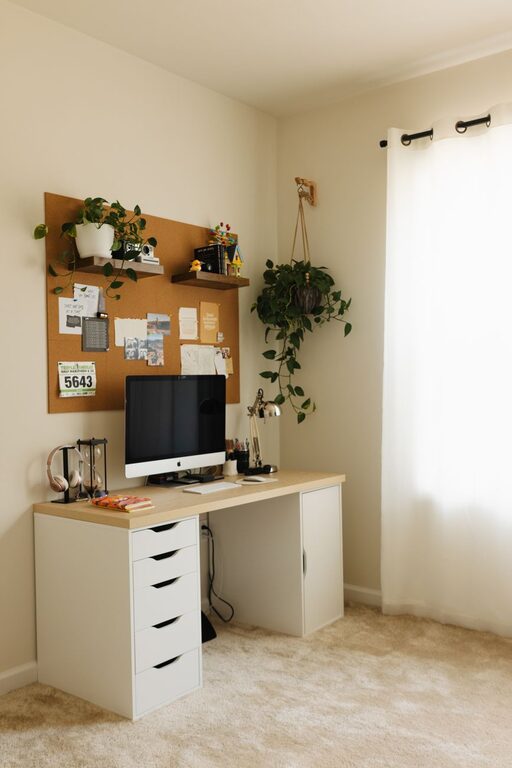
– Desk: Choose a desk that fits your available space and offers enough surface area for your computer, paperwork, and other essentials.
– Chair: Invest in an ergonomic chair with good lumbar support to maintain proper posture during long work hours.
– Adjustable Options: Consider adjustable desks or chairs for flexibility and to avoid sitting for extended periods.
A comfortable setup reduces fatigue and keeps you focused throughout the day.
3. Organize Efficiently
Clutter can distract and stress you out. Keeping your workspace organized is vital.
– Storage Solutions: Use shelves, bins, drawers, or filing cabinets to store documents and supplies neatly.
– Desk Accessories: Use desk organizers, pen holders, and cable management tools to keep your desktop tidy.
– Declutter Regularly: Make it a habit to clear unnecessary items daily or weekly.
An organized workspace saves time and mental energy.
4. Personalize Your Space
Adding personal touches can make your workspace more inviting and boost your motivation.
– Decor: Use artwork, photos, or inspirational quotes that make you feel good.
– Plants: Incorporate small indoor plants to add color and improve air quality.
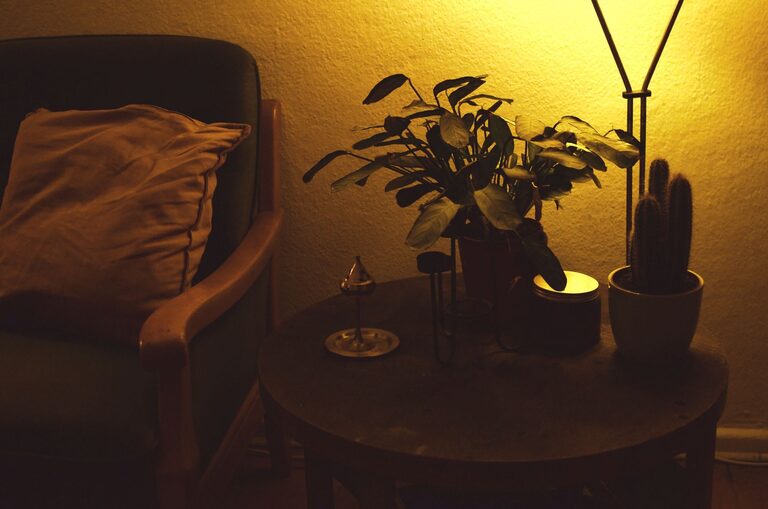
– Lighting: Use warm desk lamps or fairy lights for a cozy atmosphere, especially during late working hours.
Personalization makes your workspace feel like your own creative hub.
5. Incorporate Proper Lighting
Good lighting is vital for comfort and reducing eye strain.
– Natural Light: Maximize daylight by positioning your desk near windows.
– Task Lighting: Add a desk lamp with adjustable brightness for focused activities.
– Ambient Lighting: Use overhead lights or soft lamps to create balanced illumination.
Avoid glare on screens by adjusting window coverings or screen position.
6. Manage Technology Wisely
Technology is a significant part of any workspace, so it’s essential to keep it organized and efficient.
– Cable Management: Use clips or sleeves to avoid tangled cords.
– Charging Stations: Set up a central spot to charge devices.
– Equipment Storage: Store seldom-used gadgets in labeled bins or drawers.
A tidy tech setup prevents frustration and keeps your desk looking good.
7. Create Zones for Different Tasks
If space allows, consider dividing your workspace into zones to improve focus and comfort.
– Work Zone: Where you perform most of your computer or paperwork tasks.
– Reading/Planning Zone: A quiet spot with comfortable seating for brainstorming or reading.
– Storage Zone: An area dedicated to supplies and reference materials.
Zoning helps your mind switch between different activities smoothly.
8. Maintain a Healthy Environment
A healthy workspace supports well-being and productivity.
– Air Quality: Open windows regularly and consider an air purifier if needed.
– Ergonomics: Arrange your screen at eye level and keep frequently used items within easy reach.
– Break Area: If possible, have a nearby spot where you can stretch or take quick breaks.
Taking care of your physical environment directly influences your work efficiency.
9. Keep it Flexible
Your workspace needs may change over time. Design your area to adapt as needed.
– Modular Furniture: Use pieces that can be rearranged or added to easily.
– Multi-Use Surfaces: Choose desks or tables that serve more than one purpose, like a hobby or dining space.
– Storage Upgrades: Be ready to expand or reorganize storage when your workload increases.
Flexibility helps keep your workspace current and useful.
Conclusion
Creating a cozy and functional home workspace doesn’t require a big budget or a large room. By choosing the right location, investing in comfortable furniture, staying organized, personalizing your area, and paying attention to lighting and ergonomics, you can design a space that supports your productivity and well-being. With these tips, your home workspace will become a place you look forward to using every day.
About the Author